Find the right operator
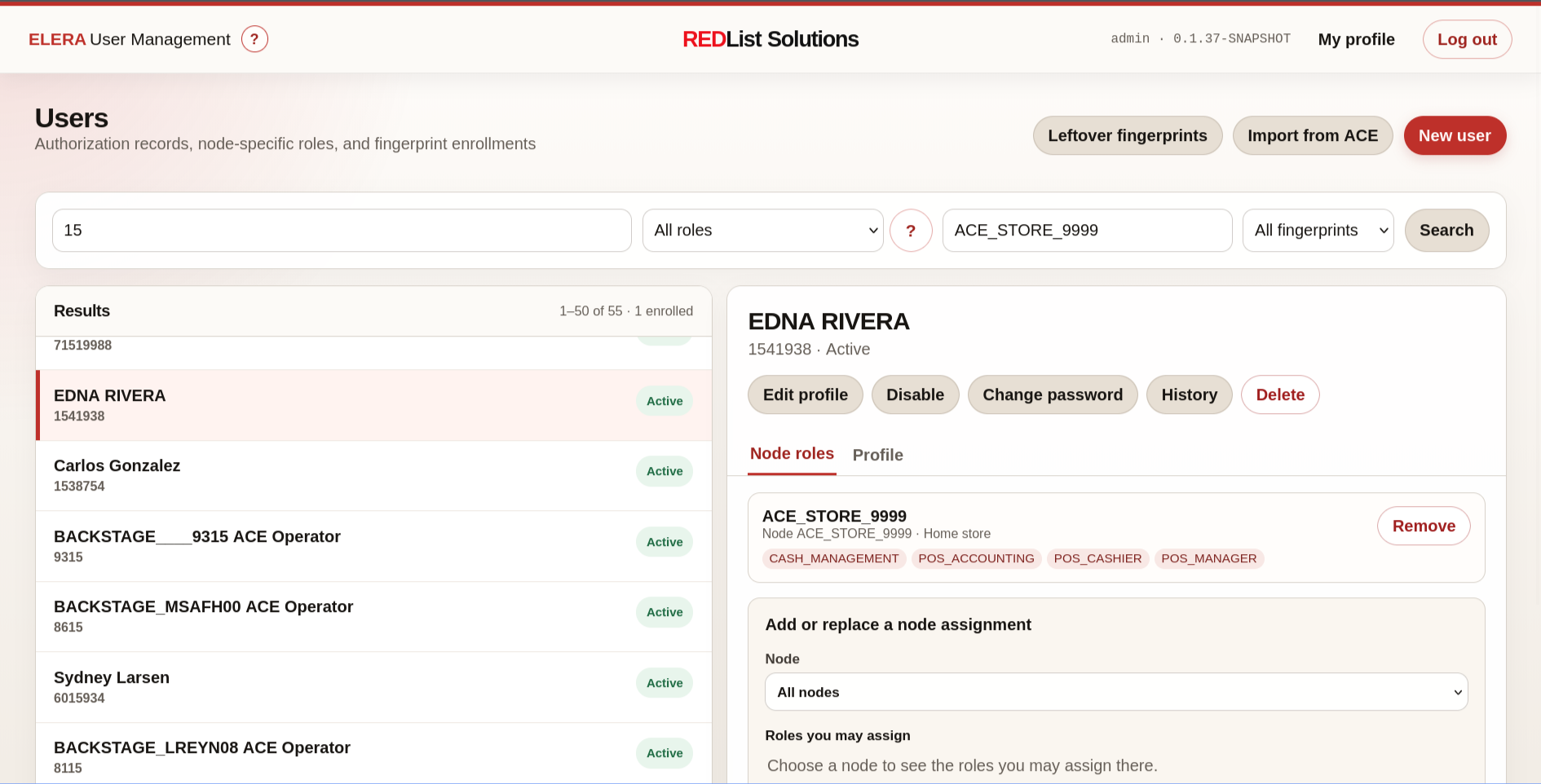
Search a paged ELERA directory by username or name, role, node ID or display name, and fingerprint enrollment state without loading the entire enterprise directory into a browser.
Available ELERA application
REDList User Management UI gives authorized teams a focused way to find and maintain ELERA users, node-specific roles, home stores, passwords, account state, and history—without exposing ELERA credentials or tokens to the browser.
It also provides the back-office view for REDList fingerprint support in WebPOS and includes a guided path for bringing existing ACE operators into ELERA from EAMOPERA.
Focused administration
The application keeps everyday identity and access work understandable while respecting the roles and node scope already defined in ELERA.
Search a paged ELERA directory by username or name, role, node ID or display name, and fingerprint enrollment state without loading the entire enterprise directory into a browser.
Create and edit users with independent role sets at one or more nodes, select a home store, and limit assignments to the scope and roles held by the signed-in administrator.
Change or reset passwords, unlock users, enable or disable sign-in, review ELERA history, and use guarded deletion with exact-name confirmation and reauthentication.
Users without directory-management access can still update their own name and change their own password through a protected self-service view.
Scan a configured or uploaded EAMOPERA keyed file, preview operators, map ACE authorization flags to ELERA access profiles, skip existing users, and monitor the background import.
Show enrolled operators, review non-sensitive enrollment metadata and audit activity, remove an enrollment, and clean up records whose ELERA users no longer exist.
REDList WebPOS fingerprint support
The operator account and its roles remain in ELERA. WebPOS captures and identifies the enrolled finger, then uses the protected credential workflow associated with that operator. User Management combines the two sources for administration while keeping templates and vault ciphertext off the browser.
ACE → ELERA
User Management includes a deliberate import workflow for retailers that need to carry operator identity and access intent forward during migration.
Select the ELERA destination and read the configured server-side EAMOPERA file or a file chosen from the current computer.
Validate the keyed-file structure and separate eligible operators, existing ELERA users, unmapped records, model records, and invalid records.
Map ACE option flags and levels to cashier, restricted cashier, cash-office, or manager profiles backed by approved ELERA roles.
Reauthenticate, confirm the exact node, run the import in the background, and download a result that explains each operator outcome.
Why a standalone app
REDList developed User Management while exploring the next generation of its store tools. While implementing fingerprint reader support on ELERA 1.2503, it became clear that user, access, enrollment, and ACE operator migration work deserved a secure standalone surface that teams could use independently.
Where it is going
User Management capabilities can inform Store Director as the new app takes shape. The standalone application still makes sense for security teams, central administrators, fingerprint support, and deployments that want focused user administration without the broader store-operations workspace.
Application screens
Select any captured screen to inspect the interface at full size.

Edit identity fields, password-reset policy, and the complete node-assignment set in one guarded form.

Choose roles per node and home store while seeing whether the operator has a WebPOS fingerprint enrollment.
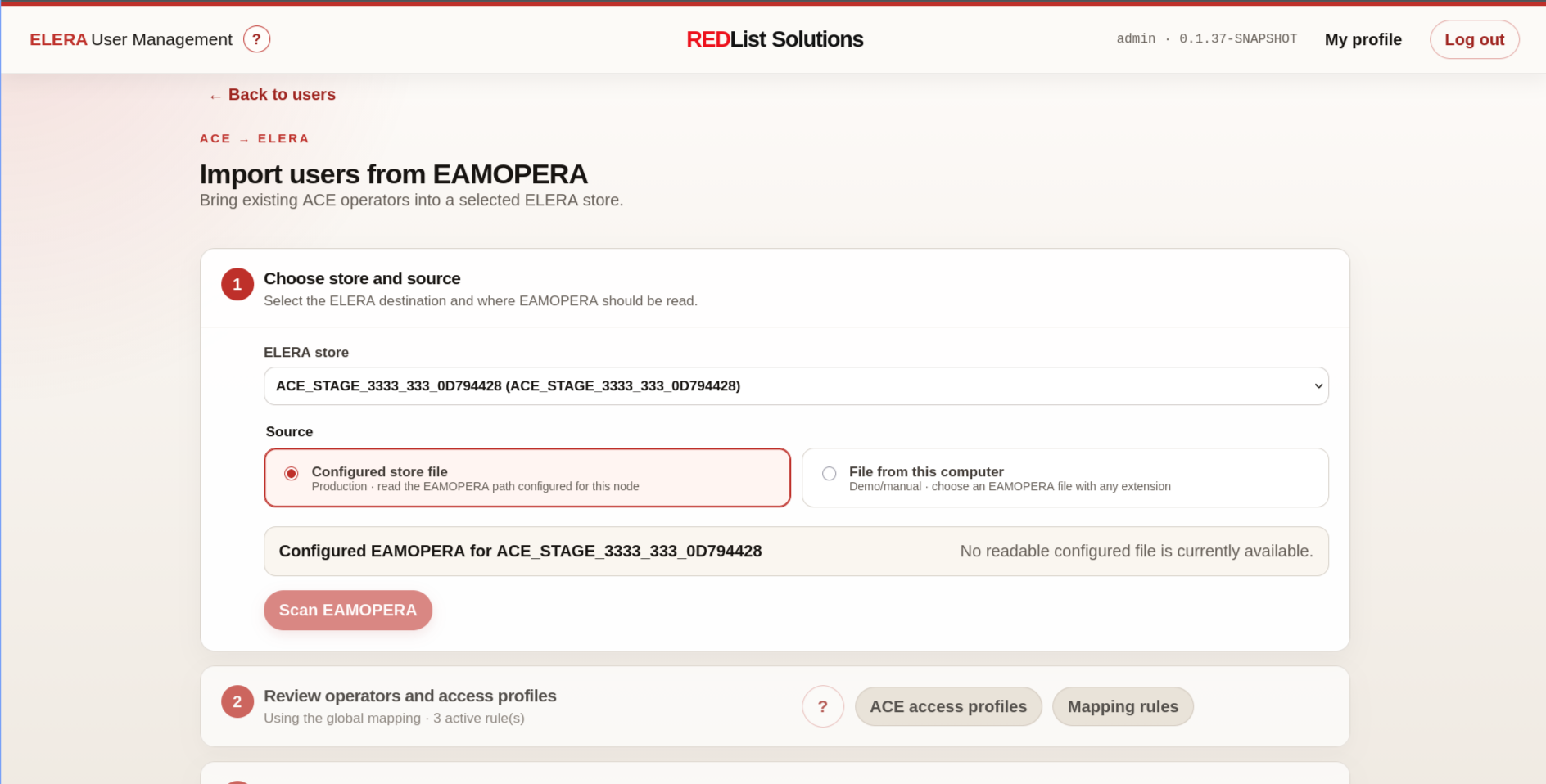
Choose the source, review mapped operators and access profiles, and explicitly confirm the selected store before creating ELERA users.

Search the live ELERA node catalog and use parent context to select the intended store in large hierarchies.
Talk with REDList about operator conversion, node-role design, User Management UI, DigitalPersona 4500 testing, and a rollout path that connects cleanly with the broader Store Director roadmap.